Your car maintenance, always with you.
Track services, store invoices and control costs. Everything in your Google Drive or iCloud, with no one else accessing your data.
Sound familiar?
At the garage without the info
They ask when the timing belt was replaced and your invoices are at home.
Lost invoices
You keep invoices in a drawer and when you need them, they are nowhere to be found.
Can't remember the last service
When was the last oil change? And the MOT, when is it due?
No idea what you spend
Between the garage, parts and labour, you have no clue how much your car costs per year.
Your data on someone else's servers
Existing apps store your data on their servers. Who else is looking at it?
Everything you need to take care of your car
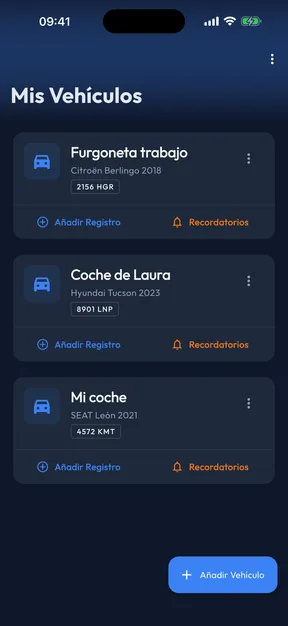
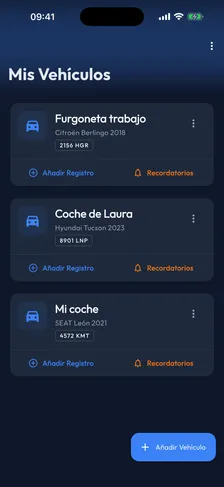
Multiple vehicles
Register all your cars with make, model, year, plate and VIN. Switch between them with a tap.
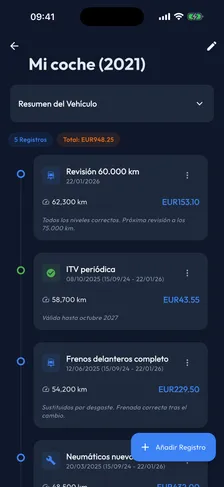
Complete service history
Every service, every oil change, every repair. All sorted by date with parts, costs and notes.
Attached invoices and photos
Attach the garage invoice or a photo of the part. Everything is stored alongside the service.
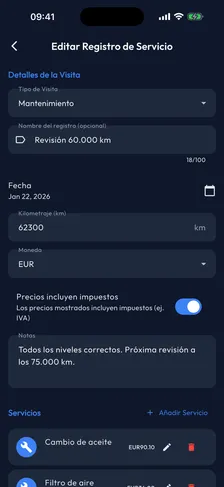
Cost tracking
Record labour, parts and costs. Know exactly how much each vehicle costs to maintain.
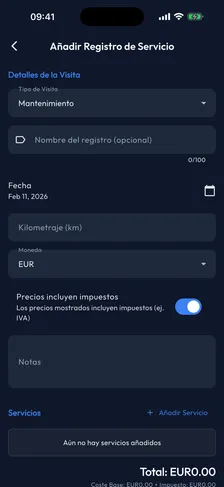
Export your history
Download a vehicle's full history as a ZIP file with invoices. Perfect for selling your car with complete documentation.
Your data is yours. For real.
It's not a slogan, it's how OwnAutoCare works.
Your Google Drive or iCloud
All your data is stored directly in your personal Google Drive or iCloud. We don't store anything.
No servers
There are no middleman servers. No external database. Your information never passes through our hands.
No third-party access
No one else can see your data. Not us, not advertisers, no one.
Delete the app, delete everything
If you uninstall the app, there's no trace left. Your files remain in your Drive, but we have nothing.
It's that simple
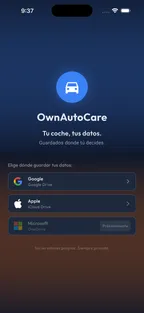
Choose your storage
Connect with Google Drive or iCloud. Your data is saved in your own cloud, with no one else able to access it.

Add your vehicles
Register your cars with the basics: make, model, year and plate.

Log your services
Every time you visit the garage, add the service with parts, costs and invoices.

Check it anytime
At the garage, selling your car or just curious. It's always at your fingertips.
Available across your Apple ecosystem
Use OwnAutoCare on your iPhone, iPad or Mac. Your history syncs automatically through Google Drive or iCloud.
iPhone
Carry it in your pocket. Perfect for checking at the garage.
iPad
More room to browse the full history and invoices.
macOS
Full management from your Mac with all the comfort of the desktop.