OwnAutoCare now works with OneDrive: your car's history, in your Microsoft cloud
If you live inside the Microsoft ecosystem — Windows, Office, Outlook — chances are your whole life is already saved to OneDrive. Now you can save your car’s maintenance history there too.
As of today, OwnAutoCare works with OneDrive.
What changes
Until now, OwnAutoCare saved your data to Google Drive or iCloud, depending on the user. If you didn’t use either as your main cloud, you had to open or keep active an account just for the app.
With OneDrive added to the list, that’s no longer necessary. If Microsoft’s cloud is where you already keep everything, your services, your invoices and your maintenance reminders go straight there. The same place where you already keep your documents, your photos or your spreadsheets.
How it works
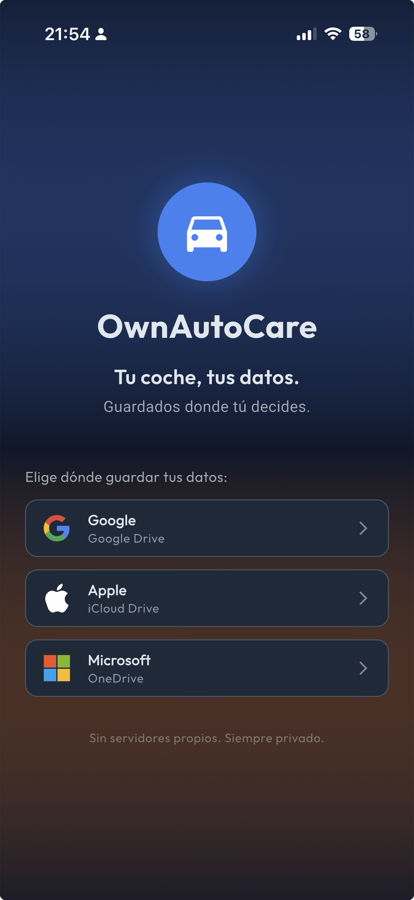
It works exactly like the other supported providers: you choose your OneDrive account when you set up the app, and from then on every service you log — date, mileage, cost, invoice photo — is saved directly to your own storage.
OwnAutoCare has no servers of its own. The app acts as the interface: it organises the information, but you’re the one storing it, in your account. Nobody at OwnAutoCare has access to that data, because it technically never passes through any of our systems.
This isn’t any different from how it already works with Google Drive or iCloud. There’s simply a third option now, so you can pick the cloud you already use every day.
Why this mattered for Microsoft users
Before OneDrive support arrived, anyone living in the Microsoft ecosystem ran into a small but real friction: to use OwnAutoCare, they had to open a Google or Apple account just to have somewhere to store the car’s history. One more account to manage, one more cloud to check on now and then, one more login to remember.
It’s not a serious problem, but it never quite made sense either, when a perfectly good cloud already existed — the one you already use every day for email or work documents — and the app just needed to support it.
Who this is for
If you work on a Windows laptop, use Outlook for email, and already have OneDrive syncing in the background, this option fits naturally. You don’t need to open a Google account just to track your car’s maintenance, or switch ecosystems for something this specific.
It’s the same idea as always: your data goes to the place you already trust, with the backups and multi-device access you already had set up.
How to turn it on
If you already have OwnAutoCare installed, just go to the storage settings and select OneDrive as your cloud provider. If you’re coming from Google Drive or iCloud, you can export your current history and import it into the new location without losing any data.
And if you don’t have the app yet: it’s free, no extra accounts needed, and now it works with OneDrive too.