Architecture, not promises
Why your data goes to your cloud, not our servers
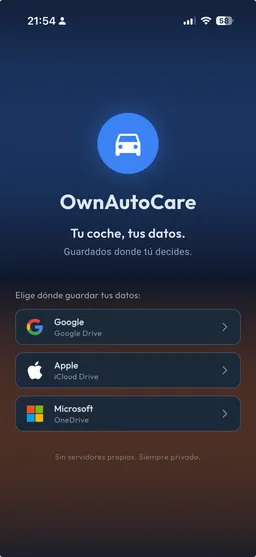
Most car maintenance apps store your history on their own servers and charge a subscription to sync it across your devices. OwnAutoCare does the opposite: your data never leaves your own cloud.
The difference, in a table
Without naming specific apps, so we don't claim anything we can't verify: here's how the typical model in this space compares to OwnAutoCare's.
Typical maintenance apps
The company and its infrastructure have access to your data.
OwnAutoCare
Only you have access. We don't see or store anything.
| Aspect | Typical maintenance apps | OwnAutoCare |
|---|---|---|
| Where your data lives | On the company's own servers | In your personal Google Drive, iCloud or OneDrive |
| Syncing across devices | Usually requires a paid plan | Free, it's your own cloud |
| Who can access it | The company and its infrastructure | Only you |
| Extra account required | Yes, an account for the app itself | No, you use your Google, Apple ID or Microsoft account |
Your data is yours. For real.
It's not a slogan, it's how OwnAutoCare works.
Your Google Drive, iCloud or OneDrive
All your data is stored directly in your personal Google Drive, iCloud or OneDrive. We don't store anything.
No servers
There are no middleman servers. No external database. Your information never passes through our hands.
No third-party access
No one else can see your data. Not us, not advertisers, no one.
Delete the app, delete everything
If you uninstall the app, there's no trace left. Your files remain in your Drive, but we have nothing.
Questions people ask about this model
Does OwnAutoCare keep a copy of my data?
No. If you lose access to your Google Drive, iCloud or OneDrive, we can't recover your data either — that's the trade-off of no one else having it.
What happens if I lose my phone or switch devices?
Your data stays in your Google Drive, iCloud or OneDrive. Install OwnAutoCare on the new device, sign in with the same account, and your full history is still there.